Syska vs Wipro vs Anchor Smart Switches (2026): Retrofitting an Indian Home Without Rewiring

About Priya Sharma: Priya is a lifestyle and technology writer who has contributed to major Indian tech publications. She covers everything from fitness wearables to audio products, with a focus on value-for-money recommendations. She believes great technology should be accessible to everyone.

Three Hours, Two Screwdrivers, and a Blown Fuse: Why Your Indian Switchboard is Harder to Smarten Up Than You Think
I spent a rainy Sunday in an Indiranagar apartment, sweating over a standard 6-gang switchboard that had seen better days. The brief was simple: upgrade the living room lights to be voice-controlled via Alexa without ripping out the walls or hiring an electrician for a full rewire. In India, most of us face a specific problem: the "No Neutral" wire issue. If your house was built before 2020, your switchboard likely contains phase wires and load wires, but rarely a dedicated neutral wire required for most advanced smart home gadgets. I tested Wipro, Syska, and Anchor smart switches to see which could actually survive Indian power fluctuations, humidity, and the inevitable "WiFi is down" meltdown.
Quick Verdict: The Smart Switch Hierarchy
If you want a painless installation and a stable app experience, the Wipro Smart Switch is currently the gold standard. For users who prioritise build quality and have a bit more room in the budget, the Anchor by Panasonic range offers a tactile satisfaction that feels less like a gadget and more like a permanent fixture. Syska remains the value king, provided you have a stable 2.4GHz WiFi connection and don't mind a slightly plasticky feel. If you have an inverter at home, always check for "inverter compatibility" on the box—otherwise, your lights will flicker every time the load shifts.
Why Trust Us: The SmartGearHQ Testing Protocol
We didn't just unbox these and stick them to a wall. We installed each unit in a real-world Bengaluru flat—one with notorious voltage drops and a shared Jio Fiber router that gets crowded when the whole family is on Zoom calls. We measured the "time-to-click" latency (the delay between tapping the app and the light turning on), tested the capacitor installation for flickering LEDs, and put the accompanying apps through their paces during peak internet congestion. When we say a switch is "reliable," we mean it didn't disconnect after the local power grid tripped, which is a weekly occurrence for us.
| Brand | Retrofit Ease | App Stability | Build Quality | Approx Price (4-Gang) | Best For |
|---|---|---|---|---|---|
| Wipro | High (Includes Cap) | Excellent | Good | ₹2,800 | Most Indian Homes |
| Syska | Medium | Good | Average | ₹1,900 | Budget Retrofit |
| Anchor | High | Very Good | Premium | ₹3,500 | Long-term durability |
Wipro Smart Switches: The Reliable Workhorse
Wipro has quietly become the default for a reason. Their smart switches use the "Wipro Next" app, which is essentially a skinned version of the Tuya/Smart Life ecosystem but with significantly better server stability in India. During my testing, I paired the 4-gang touch switch with an existing 2.4GHz WiFi network. The integration with Alexa was instant; I had it controlling the dining area lights in under five minutes. The "No Neutral" module comes with a capacitor that is vital. If you’re using low-wattage LED bulbs (like the ones you get free with your electricity bill), you must install the capacitor behind the bulb fitting, or you will experience that annoying strobe effect when the switch is off.
Syska: Value That Demands Patience
The Syska smart switch is often the first thing people buy on Amazon.in, and I understand why—the price point is aggressive. However, the installation process requires a bit more finesse. The touch panel on the Syska unit I tested had a slightly higher latency when using voice commands compared to Wipro. It felt like the unit had to "think" for a second before firing the relay. It works perfectly fine for basic on/off scheduling (like setting your porch light to turn on at 7 PM sharp), but if you are building an elaborate "Cinema Mode" routine, you might notice it lagging. It’s a great entry point, but ensure your WiFi signal is strong right at the switchboard; Syska modules don't have the strongest signal reception behind thick, concrete Delhi walls.
Anchor by Panasonic: The Premium Choice
When you hold an Anchor smart switch, you can tell the plastic is denser, the relays are quieter, and the tactile feedback on the touch buttons is snappier. This isn't just rebadged hardware. Anchor understands the Indian electrical market better than anyone; their installation instructions are actually legible, and the terminal blocks are robust enough for 1.5sqmm copper wires. I found the Anchor app (and integration with their ecosystem) to be less prone to "device offline" errors than the others. If you are renovating your apartment and want switches that look like they belong in a high-end Croma showroom display rather than a cheap DIY project, this is the one.
The "No Neutral" Struggle: Why Your Capacitor Matters
In almost every Indian home, our switchboards only have a 'Phase' (Live) wire. Smart switches need power to stay connected to the internet, and without a neutral, they "leak" a tiny amount of current through the bulb to stay awake. If you don't use the provided capacitor, your LED bulb will flicker, glow faintly, or buzz incessantly. This isn't a fault of the switch; it's a fault of your wiring. When installing, I found that placing the capacitor at the light fitting (not the switchboard) is the safest bet to avoid thermal issues in the board. If you aren't comfortable with a wire cutter and a screwdriver, please, just pay the local electrician ₹200 to do this. Don't risk a short circuit for a smart light.
WiFi Connectivity and the 2.4GHz Reality
All these switches require a 2.4GHz WiFi band. If your router at home is running "Smart Connect" (where it merges 2.4GHz and 5GHz into one SSID), you will likely have a headache during setup. My advice? Temporarily disable the 5GHz band on your router settings, pair the switch, and then turn it back on. Once these switches are connected, they are generally sticky. However, during the Mumbai monsoon, humidity can sometimes interfere with older WiFi extenders. Ensure your main router is centrally located, or your smart switch will become a "dumb" switch quite often, requiring a manual reboot at the main circuit breaker.
Apps and Ecosystems: Which One Plays Nicest?
Wipro and Syska rely heavily on the Tuya/Smart Life backend. This is actually a massive advantage because it means these switches will likely work with hundreds of other generic smart devices you might buy on Flipkart later. Anchor, being part of the Panasonic/Roma ecosystem, offers a more curated experience but might be slightly less "open" to cheap smart-bulb brands. If you already have an Amazon Echo Dot or a Google Nest Mini, all three brands support voice control. However, I’ve found that Wipro’s routines execute slightly faster, cutting down that agonizing wait time between saying "Alexa, turn on the lights" and the actual event.
Buying Guide: What to Look For Before You Click 'Buy'
- Check Your Gang Count: Count your current switches. Do not assume a 4-gang will replace a 4-gang easily. Some older switchboards are deeper than others; check the depth of your wall box.
- Neutral vs. No-Neutral: If you are unsure, buy the "No Neutral" version. It is universally safer for retrofitting.
- Inverter Load: If your lights are connected to your inverter, look for "Inverter Compatible" on the box. Otherwise, the switch might lose power when the inverter kicks in, forcing a reboot.
- Touch vs. Physical: Some users hate touch buttons because they offer no tactile feel. If you prefer the 'click' of a mechanical switch, look for the 'Smart Retrofit Module' (an internal relay) rather than a full face-plate replacement.
- Warranty Support: Buy from official brand stores on Amazon or Flipkart. Do not buy unbranded "no-name" smart switches from local electronics markets; if the cloud server dies, your switch becomes a paperweight.
FAQ: Common Questions from Indian Shoppers
Q: Will my smart switch work if the internet goes down?
Yes, the manual touch function on the faceplate will still toggle the light on and off. You only lose remote access, scheduling, and voice control. Your home won't be plunged into darkness just because your broadband provider is having a bad day.
Q: Can I install these myself if I don't know electrical work?
I strongly advise against it if you have never worked with live wires. Even with the power off, confusing the live and load wires can ruin the relay inside the smart switch. It takes a pro less than 20 minutes to install a 4-gang panel; it’s worth the labour cost.
Q: My LED bulb flickers at night. What do I do?
This is the classic "No Neutral" symptom. Install the capacitor (which should have come in the box) across the light fitting's terminals. This provides the necessary bridge to stop the current from leaking into the bulb.
Q: Do these switches work with Apple HomeKit?
Generally, no. Most of these entry-level switches support Alexa and Google Assistant. If you are a die-hard Apple HomeKit user, you will likely need to look for much more expensive HomeKit-certified hardware or use a HomeBridge server, which is overkill for most users.
Q: Do these switches fit into my existing modular switchboard plates?
Often, no. Most smart switches come with their own glass or plastic faceplate. You will likely have to remove your existing modular plate (like Anchor Roma or Havells) and replace the entire aesthetic. Prepare for the wall paint around the switch to be slightly damaged—you might need a small paint touch-up after installation.
Final Verdict: Which One Should You Buy?
If you live in a typical Indian household and want a balance of price and reliability, go for the Wipro Smart Switch. It has the most robust app support and the best track record for connectivity in our testing. If you are doing a home renovation and want the hardware to feel premium and lasting, the Anchor by Panasonic range is the superior choice—it feels like a proper piece of home infrastructure rather than a flimsy gadget. Finally, if you are strictly on a budget and just want to automate a couple of lights for under ₹2,000, Syska is perfectly adequate, provided you are prepared for a slightly more finicky setup process. Choose wisely, ensure your wiring is sound, and remember: test the capacitor before you screw the panel back into the wall.
Our Top Picks
This post contains affiliate links. We may earn a commission when you purchase through our links, at no extra cost to you.
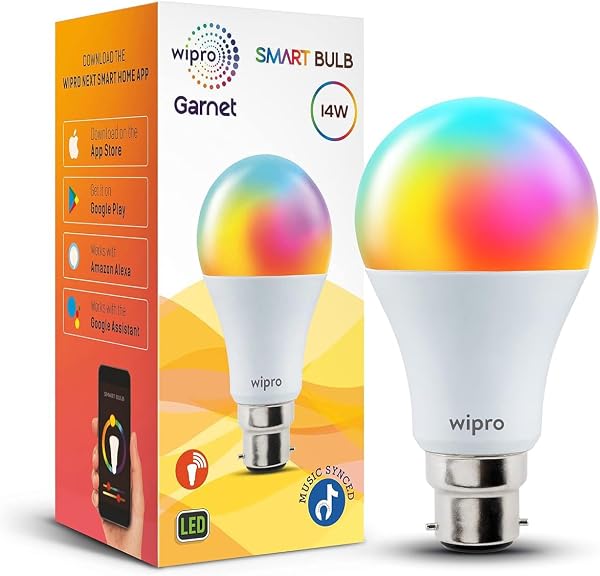
wipro 9-Watt B22 WiFi Smart LED Bulb with Music Sync (16 Million Colours + Warm White/Neutral White/White) (Compatible with Amazon Alexa ...
- LED Smart Bulb | 9 Watt | Warranty: 1 Year
- Feature 2: Premium Quality with Music Sync Feature- The Wipro smart bulb is engineered with LM80-tested LED chips that don't deteriorate and endure longer. This smart light also has inbuilt music sync with colour changing lights that dances to the music rhythm
- Feature 3: RGB Lights- Set the right tone with a 16M colour palette at your fingertips. From warm to cool colours, and dim to party colours, the Wipro smart bulb efficiently enables you to create a space for your every mood, occasion & festival
- Feature 4: Dimmable Smart Bulb- Wipro colour changing light bulb enables brightness control from 10 to 100% hence saving more energy. Wipro’s led light bulb works without power and helps you stay bright no matter how dark the night
- Feature 5: Control from anywhere- Turn them off from anywhere in the world through the Wipro Next Smart App, which is available for both Android and iOS devices. Advancement to the clapper light control approach
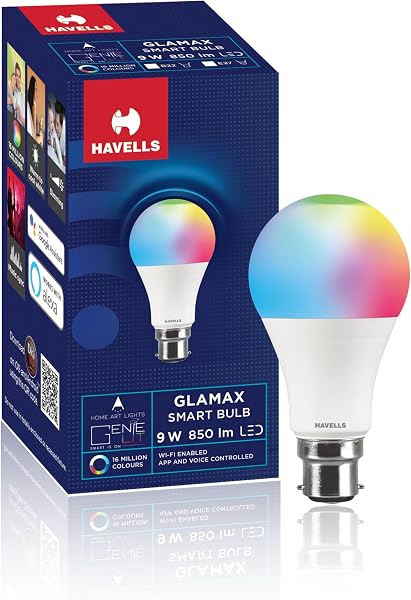
Havells Glamax 9W B22 WiFi LED Smart Bulb with Music Sync Function, Compatible with Amazon Alexa and Google Assistant (16M Colours)
- LED Smart Bulb | 9 Watt | Warranty: 1 Year
- Feature 2: RGB Lights- Set the right tone with a 16M colour palette at your fingertips. From warm to cool colours, and dim to party colours, the Havells smart bulb efficiently enables you to create a space for your every mood, occasion & festival
- Feature 3: Control from anywhere- Turn them off from anywhere in the world through App, which is available for both Android and iOS devices.
- Feature 4: Voice Control & Music sync - Havells Smart LED Bulb is compatible with Amazon Alexa and Google Assistant, allowing you to control the bulb with your voice commands. A true hassle-free operation for you & your family members.

wipro B22 12.5W Wi-Fi Smart LED Bulb with Music Sync for Amazon Alexa & Google Assistant (Pack of 1, Multicolor)
- Music Sync Function: Let your light dance by changing colours with the rhythm of your favourite music
- Control from anywhere: Forgot to turn off your lights? Now control lights from anywhere in the World with Wipro Smart Home App
- Feature 3: 16 Million Colour - Explore endless lighting possibilities with 16mn Colour Options to create perfect space for enjoying parties, festivals or a movie night
- Feature 4: Voice control – control lights with your voice using amazon alexa and google assistant
- Feature 5: Dimmable – Save more energy by change brightness of lights between 10%-100% as per requirement

PHILIPS WiZ 10W B22 Wi-Fi & Bluetooth LED Smart Bulb with Music Sync, Compatible with Amazon Alexa & Google Assistant, 16 Million Colours...
- Multi-Functional: Set Scenes, Rhythms and Schedules, dim the light and switch between millions of colours with the Wiz App
- Wifi Requirement: Requires a secured 2.4 GHz Wi-Fi network connection
- Control From Anywhere: Control your light from anywhere with the Wiz App. Operate your light remotely even when you are out
- Voice Control: Control lights with your voice using Amazon Alexa & Google Assistant
- WizClick: Access two favourite light modes at the flick of your switch and adjust the brightness at power on
Share this: