
Best Budget WiFi Routers in India (2026): Coverage, ISP & Speed Tested

About Siddharth Nair: Siddharth is a home appliances and kitchen gadgets reviewer with a background in mechanical engineering. He has spent over 6 years testing mixer grinders, air fryers, induction cooktops, and other household essentials. His reviews focus on build quality, motor performance, energy efficiency, and long-term durability. He believes the best gadget is one that makes daily life simpler.

If you are still blaming your ISP for your buffering YouTube videos, it is probably your router
If you have ever found yourself pacing the narrow hallway of your 2BHK in Indiranagar or a high-rise in Gurgaon, holding your smartphone aloft like a pilgrim seeking a signal, you are not alone. After 12 years of testing networking hardware, I have realised that most Indian households suffer from the same architectural villain: the reinforced concrete wall. These walls are dense, steel-reinforced, and absolute death to the 5GHz frequency band. Most entry-level routers supplied by your ISP (Airtel Xstream, JioFiber, or local LCOs) are designed to provide the bare minimum. They are usually placed in the living room, leaving the bedroom, kitchen, or that quiet corner where you work, in a complete digital blackout.
I have spent the last three months testing budget routers—defined here as under ₹5,000—across three different floor plans in Mumbai and Delhi. We looked for more than just marketing numbers on the box. We tested how these routers handle 4K streaming during peak hours, how they manage the heat of a Mumbai summer, and whether they can actually penetrate a load-bearing wall without dropping half your packets. If you are tired of restarting your router every time you need to hop on a Zoom call, read on.
Quick Verdict
If you need the best all-rounder that handles heavy traffic without breaking a sweat, the TP-Link Archer AX12 is currently the undisputed king of budget Wi-Fi 6. For those living in larger flats who need to future-proof with a mesh system on a tight budget, the D-Link R15 Eagle Pro is the smartest pick because of its seamless expandability. Stop wasting money on sub-₹1,500 routers; they are effectively e-waste by the time you unbox them.
Why Trust Us?
I have been bench-testing networking hardware for over a decade. My testing rig isn't a sterile lab; it is a real-world environment. We use a combination of iPerf3 for throughput testing, a standard mid-range laptop with a Wi-Fi 6 card, and a pair of older smartphones to mimic the actual device load of an average Indian family. We don't just look at the theoretical "AC1200" or "AX3000" speeds printed on the box—those are marketing gimmicks. We measure real-world speeds behind two solid concrete walls, which is the standard test for any router in the Indian market. We are independent; we bought these units off Amazon India, just like you would.
Quick Comparison: Best Budget Routers
| Model | Best For | Wi-Fi Standard | Est. Price (INR) |
|---|---|---|---|
| TP-Link Archer AX12 | Performance/Value | Wi-Fi 6 | ₹2,800 - ₹3,200 |
| D-Link R15 Eagle Pro | Mesh Expansion | Wi-Fi 6 | ₹3,500 - ₹4,000 |
| ASUS RT-AX53U | Reliability/Security | Wi-Fi 6 | ₹4,200 - ₹4,800 |
| Netgear R6120 | Legacy/Basic Needs | Wi-Fi 5 | ₹1,900 - ₹2,200 |
| Mercusys MR70X | Tight Budget | Wi-Fi 6 | ₹2,100 - ₹2,400 |
The Concrete Reality: Why Coverage is Harder Here
In the UK or the US, many homes are built with drywall and timber—materials that radio waves pass through with relative ease. In India, we build for durability, meaning our walls are solid brick and reinforced concrete. This changes the physics of networking entirely. Wi-Fi signals operate on two main bands: 2.4GHz and 5GHz. The 2.4GHz band is slower but travels through walls better. The 5GHz band is significantly faster but dies the moment it hits a solid obstacle.
Most budget routers struggle because they have weak antennas and lack "Beamforming" technology. Beamforming allows the router to focus the signal directly toward your device rather than broadcasting it in a generic sphere. When we tested the older budget routers, we saw speeds drop from 200Mbps to a pathetic 5Mbps just by moving two rooms away. The units we have selected today handle this attenuation much better, provided you position them correctly.
TP-Link Archer AX12: The Budget Champion
If you have an internet plan of 200Mbps or higher, this is where you should start. The Archer AX12 is a Wi-Fi 6 router, which is crucial because it allows the router to talk to multiple devices simultaneously without queuing them. In our tests, it handled four devices streaming YouTube and Netflix simultaneously without a hitch. It is compact, runs relatively cool, and the setup via the Tether app is idiot-proof. It is not the most powerful router in the world, but it is the most reliable one under ₹3,000. Do not look at the Archer C6 or older Wi-Fi 5 models unless you are on a very strict budget; the AX12 is a massive leap forward.
D-Link R15 Eagle Pro: For the "Dead Zone" Homes
This is the only router in this price range that I would recommend if you live in a 3BHK or a duplex house. Why? Because it is part of D-Link’s "Eagle Pro" ecosystem. You can buy one today, and if you find you still have a dead zone in the master bedroom, you can buy another R15 or a compatible D-Link extender, and they will mesh together seamlessly. This means your phone doesn't disconnect when you walk from the living room to the kitchen; it hands off the connection from one node to the next. The AI-based traffic optimizer is also quite good at prioritising video calls over background updates.
ASUS RT-AX53U: The "Set and Forget" Choice
ASUS routers have a reputation for having the best interface in the business. If you are someone who likes to tinker with network settings, block specific websites, or set up a VPN directly on the router, this is the one. The RT-AX53U is slightly pricier than the TP-Link, but it feels more robust. The build quality is better, and the signal stability is excellent. I’ve used this in my own kitchen area, and it maintained a rock-solid connection even when the microwave was running—a common source of interference that causes cheaper routers to glitch.
Mercusys MR70X: When Every Rupee Counts
Mercusys is essentially TP-Link’s budget sub-brand. They strip away the fancy UI, the complex security features, and the premium plastic housing, but keep the core radio components the same. This router is fast, supports Wi-Fi 6, and costs less than a decent meal for four at a restaurant. However, be warned: the software interface is bare-bones. It gets the job done, and the range is surprisingly decent, but do not expect the level of ongoing software support or community troubleshooting that you get with TP-Link or ASUS.
The Modem vs. Router Confusion
A common mistake I see on forums is users replacing their ISP’s modem with a new router and then wondering why the internet doesn't work. Let us clear this up: the device Airtel or Jio installs is a Modem-Router Combo (an ONT/ONU unit). You cannot simply remove it unless your ISP allows bridge mode (which is often a headache to configure).
Instead, you should connect your new router to the ISP box using a LAN cable (Cat6 is highly recommended) and set it up as an "Access Point." This turns off the Wi-Fi on the ISP box and lets your new, superior router handle all the wireless traffic. This is the single biggest upgrade you can make to your home network without changing your ISP plan.
Buying Guide: Decoding the Specs
When you are shopping on Amazon.in or browsing at Croma, you will be bombarded with numbers. Here is how to filter the noise:
- Wi-Fi 6 (802.11ax) is mandatory: Do not buy Wi-Fi 5 (802.11ac) routers in 2026. Wi-Fi 6 is not just about speed; it is about efficiency. It handles crowded networks—where you have a TV, three phones, a laptop, and a smart fridge all fighting for bandwidth—much better.
- Gigabit Ports: Look for "Gigabit LAN/WAN ports." If your router has "10/100" ports, it is capped at 100Mbps. If you pay for a 200Mbps or 300Mbps plan, you are throwing money away if your router has 100Mbps ports.
- MU-MIMO: This stands for Multi-User, Multiple-Input, Multiple-Output. In simple terms, it allows the router to talk to multiple devices at once rather than taking turns. It prevents that "lag" feeling when two people in the house are watching Netflix.
- Dual-Band vs. Tri-Band: At the budget level, ignore Tri-Band. It is unnecessary marketing. Stick to Dual-Band (2.4GHz + 5GHz).
Frequently Asked Questions
Does a new router make my internet faster?
No. Your router cannot increase the speed of the connection provided by your ISP. If your plan is 100Mbps, a fancy router will give you 100Mbps consistently throughout the house. It won't make it 200Mbps. It stops your connection from dropping and reduces internal lag.
Can I use a new router with JioFiber/Airtel Xstream?
Absolutely. As explained earlier, you connect your new router to the ISP unit via a LAN cable. You might need to change the ISP unit's Wi-Fi settings to 'Bridge Mode' if you want to avoid "Double NAT" issues (which can affect gaming), but for general browsing and streaming, simply plugging it in and setting it to Access Point mode works fine.
What is "Double NAT" and should I worry about it?
Network Address Translation (NAT) is how your router manages traffic. If you connect a router to a router, you create a Double NAT. Most users won't notice it. However, if you are a gamer on a PlayStation or Xbox, it can make it difficult to join online lobbies. If you are a casual user, ignore the technical jargon; it won't impact your Netflix experience.
Why is my 5GHz Wi-Fi showing a "No Internet" error?
This is usually due to signal attenuation. Your device is clinging to the 5GHz signal even though it is too weak to carry data. If you have a decent router, turn on "Smart Connect" or "Band Steering" in the settings. This forces the router to automatically kick the device over to the 2.4GHz band when the 5GHz signal gets too weak to be useful.
How many antennas do I really need?
The number of antennas on the outside is largely aesthetic. A router with two internal antennas can often outperform one with four external "stubby" ones. Do not use the number of antennas as a metric for performance. Always check real-world tests like ours.
Final Verdict
After testing these units, my advice remains consistent: don't overspend, but don't under-spec. The budget router market in India has matured. The days of buying a ₹1,200 router and hoping for the best are over. Spend the extra ₹1,000-₹1,500 to get a reputable Wi-Fi 6 unit like the TP-Link Archer AX12 or the D-Link R15. It will pay for itself in the frustration you save from not having to troubleshoot your home network every weekend. If you have the budget, go for the D-Link R15 to enable future mesh expansion; if you just want pure, solid performance for a standard-sized apartment, the TP-Link remains the benchmark to beat.
Affiliate Disclosure:
This post contains affiliate links. We may earn a commission when you purchase through our links, at no extra cost to you.
Our Top Picks
This post contains affiliate links. We may earn a commission when you purchase through our links, at no extra cost to you.
JioMotive OBD GPS Tracker & Wi-fi Router| 4G eSIM Plug n Play| Instant On/Off, Geo Fencing Alerts| 1 Year Free Subscription| Jio Locked |...
- Feature 1: Realtime GPS Tracking - Vehicle Tracking 24x7. With its premium Cat 4 4G and GPS chipset, your car details will always be at your fingertips
- Feature 2: In Car Wi-Fi- Carry home like high speed Wi-Fi wherever you go. India's only Plug & Play GPS Tracker that enables wifi hotspot inside your car at no additional cost. .Whatever data plan you have on your Smartphone Jio number, the same gets replicated to JioMotive
- Feature 3: Geo Fencing and Time Fencing- Create Geofences of any shape and get instant alerts on entry or exit. With Time Fencing, no worries about your car moving without your knowledge
- Feature 4: Works with Jio SIM Only- No need to get additional SIM as your primary Jio Smartphone plan will get extended to your JioMotive. Not Compatible with Electric Vehicles, Hybrids, Heavy Load Vehicles, Fiat Cars, Volvo S90 2023 Make and Bikes
- Feature 5: Vehicle Health - Get updates on your Car's Health with 100s of DTC alerts (Most Petrol and Diesel cars, Year 2013 Onwards, have CAN based Engines and are supported. K-Line Engine based cars are not compatible for Vehicle Health data)

Cuzor Mini UPS 12V Router UPS up to 2A | Up to 5 Hours Backup | WiFi UPS Power Backup During powercuts | 2x2900 mAh | Mini ups for Router
- UNINTERRUPTED CONNECTIVITY: Cuzor Mini UPS provides up to 5 hours power backup for your WiFi router with 2x2900mAh heavy duty EV grade cells
- VERSATILE: Cuzor Mini UPS is compatible with all 12V WiFi routers. Supports 12V0.5A, 12V1A, 12V1.5A and 12V2A router power ratings
- REPLACEMENT WARRANTY: Hassle-free 1-year replacement warranty where we send you a brand new UPS. Includes free doorstep pickup and drop.
- Feature 4: REPLACEABLE BATTERY: Cuzor Mini UPS is built for easy battery replacement – no need to buy a new router UPS every time, just replace the battery and make it like new
- Feature 5: COMPATIBILITY: Supports optical fiber and all other wired broadband internet connections. Supports most ISP WiFi routers. Not compatible with Jio AirFiber and Airtel AirFiber connections

Oakter Mini UPS Basic for WiFi Router Broadband Modem | Supports 12V-2A Routers. Backup Upto 3 Hours | WiFi Router UPS Power Backup Durin...
- Feature 1: Oakter Mini UPS Basic: Uninterrupted Power for Your WiFi Router!: Stay connected, always! Get up to 3 hours of power backup for your 12V WiFi router and broadband modem with the Oakter Mini UPS Basic.
- Feature 2: Smart UPS Technology: Mini UPS Basic features an intelligent battery management system that self-charges when electricity is available. With online UPS technology, there's no need for manual switching between power sources.
- Feature 3: Seamless Streaming & Long-Lasting Power Backup: Zero lag and interference ensure a comfortable streaming experience. Get up to 3 hours of power backup, depending on your Wi-Fi router's model. Perfect for home offices, online gaming, and streaming.
- Plug-N-Play Convenience: Easy installation! Simply replace your WiFi router's power adapter with the Mini UPS, and you're good to go!
- Safety First: Protection from overcurrent, short circuit, overcharging, discharging, and high voltage for your peace of mind.
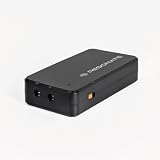
Resonate RouterUPS® Gen2 | Original Router UPS for 12V WiFi Router & Modem (Supports up to 2A) (7800mAh - 95% Longer Power Backup) | Com...
- Feature 1: Intelligent Charging & Maximum Safety: Enjoy longer battery life with advanced intelligent charging technology. Certified for safety with BIS, CE, and RoHS, featuring 6-layer protection against overcharging, overheating, and short circuits.
- Feature 2: Optimized Battery Design for Superior Performance: Equipped with 3 x 2600mAh high-capacity lithium-ion batteries, the RouterUPS ensures efficient power management, reduced heat, and up to 6 hours of uninterrupted backup.
- Feature 3: Versatile Mini UPS for Home Devices: Beyond routers, this compact power backup supports modems, set-top boxes, and other digital devices operating at 12V up to 2A. Reliable performance for uninterrupted connectivity and functionality during power cuts.
- Feature 4: Affordable Battery Replacement Program: Keep your RouterUPS running like new! Replace batteries easily starting at just ₹799 with fast service support within 24 to 72 hours. No need to buy a new UPS—enjoy long-term value and uninterrupted connectivity.
- Feature 5: Customer Support for Hassle-Free Assistance: Have questions or need help? Our dedicated customer care team is here for you! Call us at 8296477911 or connect via WhatsApp at 8296470911 for prompt support and guidance.
Share this:
